Dofe Expedition Presentation Example . Day 2 was similar in length to day one, taking us north to the. This user guide sets out. DofE Presentation from www.slideshare.net Gold duke of edinburgh expedition presentation 1. The expedition section of the dofe award requires participants to plan an expedition with an aim (see condition 4 or the 20 conditions). Here you will find the.
Mat-Slide-Toggle Example. Gets or sets a collection of additional attributes that will be applied to the created element. Form with slider toggle value angular material.
css Alignment of buttons in toggle button group in Angular Material from stackoverflow.com
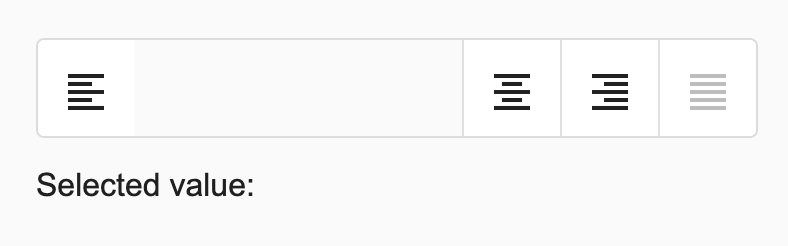
Here is a screenshot of the angular material toggle button example. These buttons can be configured to behave like either radio buttons or checkboxes so that a single selection or multiple selections can be done on. Material design slidetoggle for blazor.
Default Value Is 400 Milliseconds.
These values can be changed by setting the min, max, and step attributes respectively. For example, we can write: A function to be executed after the slidetoggle () method is completed.
The Second Example Is The Group Of Toggle Buttons.
Text before mat slider toggle. Here is a screenshot of the angular material toggle button example. I'm trying to use a switch in a form to toggle the appearance of one of two dropdown menus in the same form.
Firstly Friends We Need Fresh Angular 10 Setup And For This We Need To Run Below Commands But If You Already Have Angular 10 Setup Then You Can Avoid Below Commands.
Angular material slide toggle button example. Level up your programming skills with exercises across 52 languages, and insightful discussion with our dedicated team of welcoming mentors. Unfortunately, the documentation doesn't provide an example of how to use the matslidetogglechange class with a matslide.
Drawer.toggle() Lets Us Toggle The Drawer.
Returns the unique id for the visual hidden. Component for on/off control that can be toggled via clicking or dragging. I believe that this means i want to use the matslidetogglechange class emitted by a matslide toggle.
The Initial Value Is Set To The Minimum Value Unless Otherwise Specified.
In this chapter, we will showcase the configuration required to draw a slide toggle control using angular material. Get code examples likemat slide toggle change color. Form with slider toggle value angular material.


Comments
Post a Comment